-
1 Your details
Category, name, contact and ID.
-
2 Organisation
Type and name.
-
3 Review
Check and submit.
-
4 Verify email
Enter the 8-digit code.
-
5 Set password
Your account is created.
-
6 Pay
Card, mobile money or bank.
Choose the conference
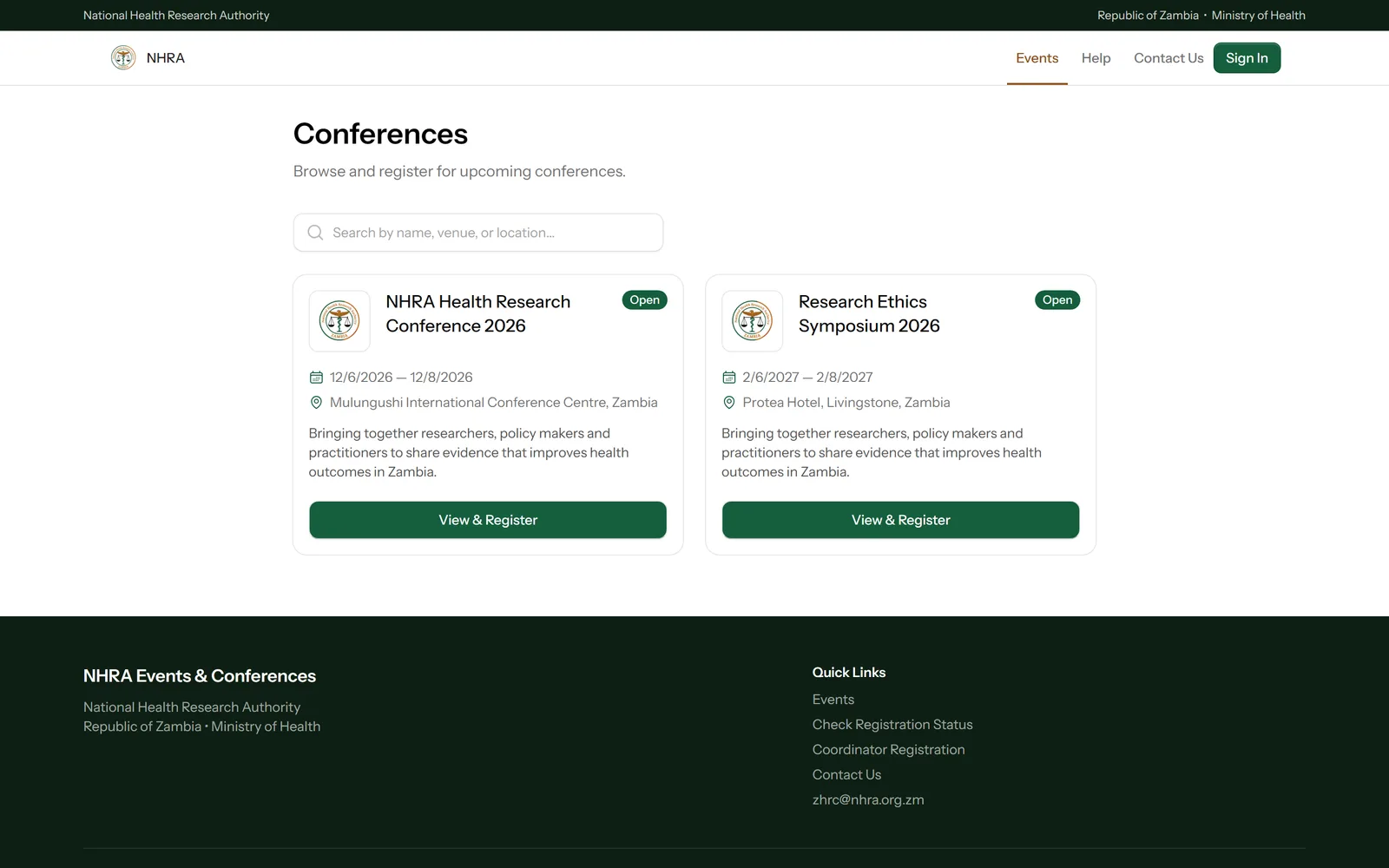
Open Events in the top bar and select View & Register on the conference you want to attend.
 1
1
Check the fees and start
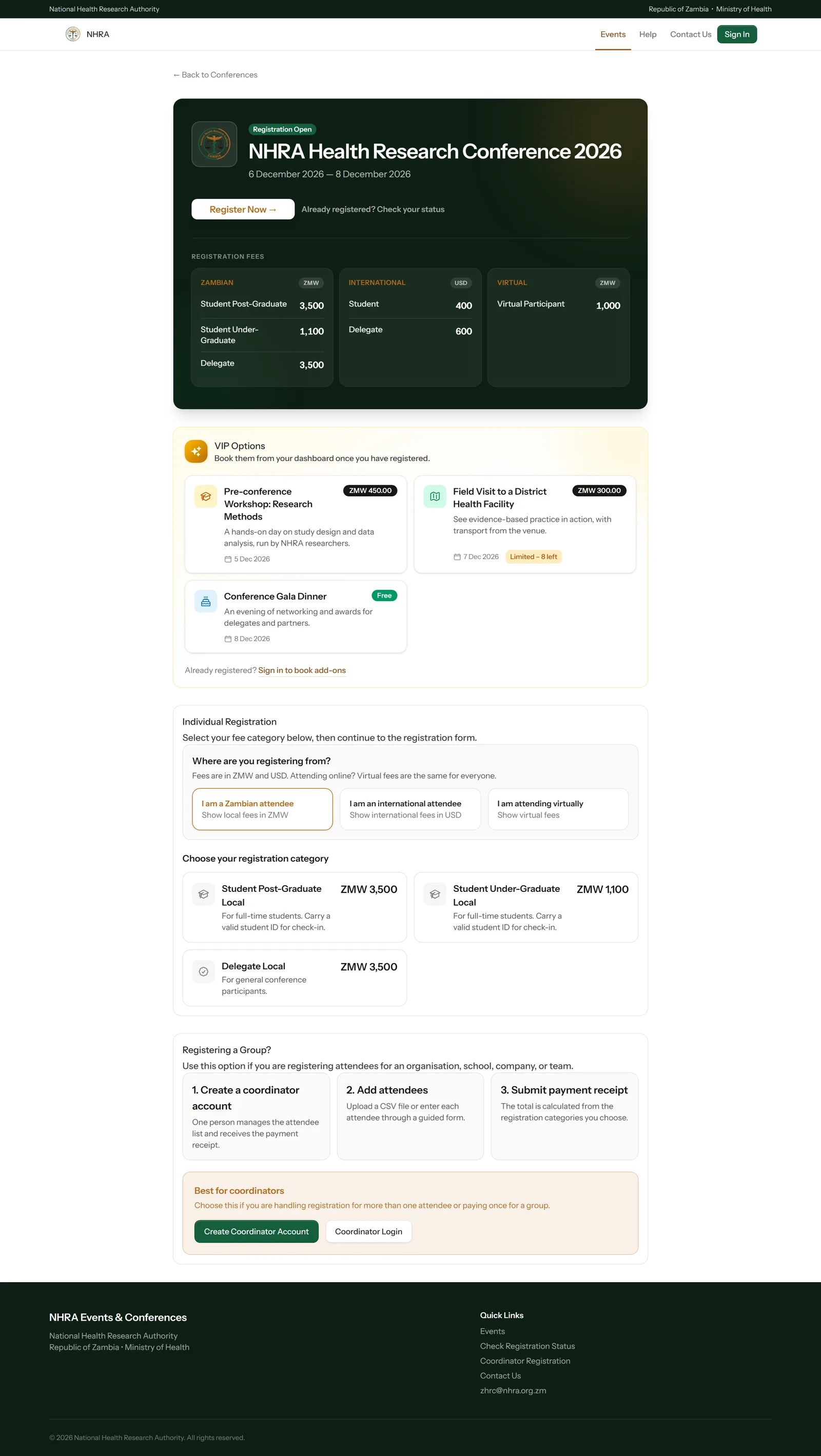
The conference banner lists the fees in three panels — Zambian (ZMW), International (USD) and Virtual. Choose where you're registering from — Zambian attendees pay local fees in ZMW, everyone else pays international fees in USD, and virtual fees are the same for everyone — then select Register Now.
Under VIP Options, the page also lists optional extras such as workshops, field visits or dinners. You book these from your dashboard once you've registered.
 1
2
3
4
5
1
2
3
4
5
Fill in your details
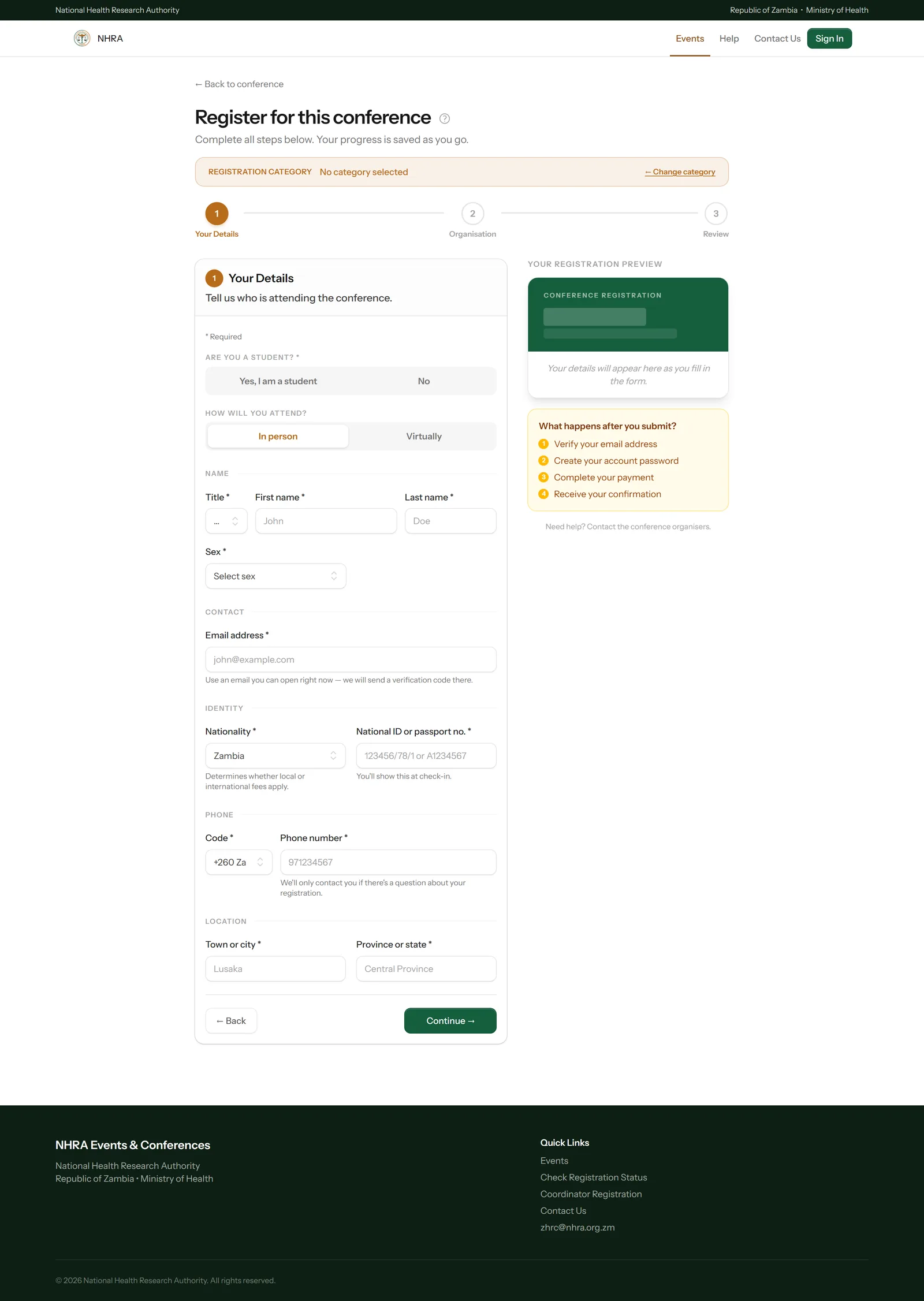
Pick Student or Delegate and whether you'll attend in person or virtually, then fill in your name, contact details, identity and location. The preview on the right fills in as you type. Select Continue.
 1
2
3
1
2
3
Add your organisation, then review
Choose your organisation type and enter its name, then select Continue. Check everything on the review step and select Submit Registration.
Verify your email and set a password
Enter the 8-digit code from the email we send you and select Verify Email. The code is valid for 30 minutes — select Resend code if it has expired. Then choose a password for your new account.
Pay
You're taken straight to payment. See Pay and upload proof of payment.
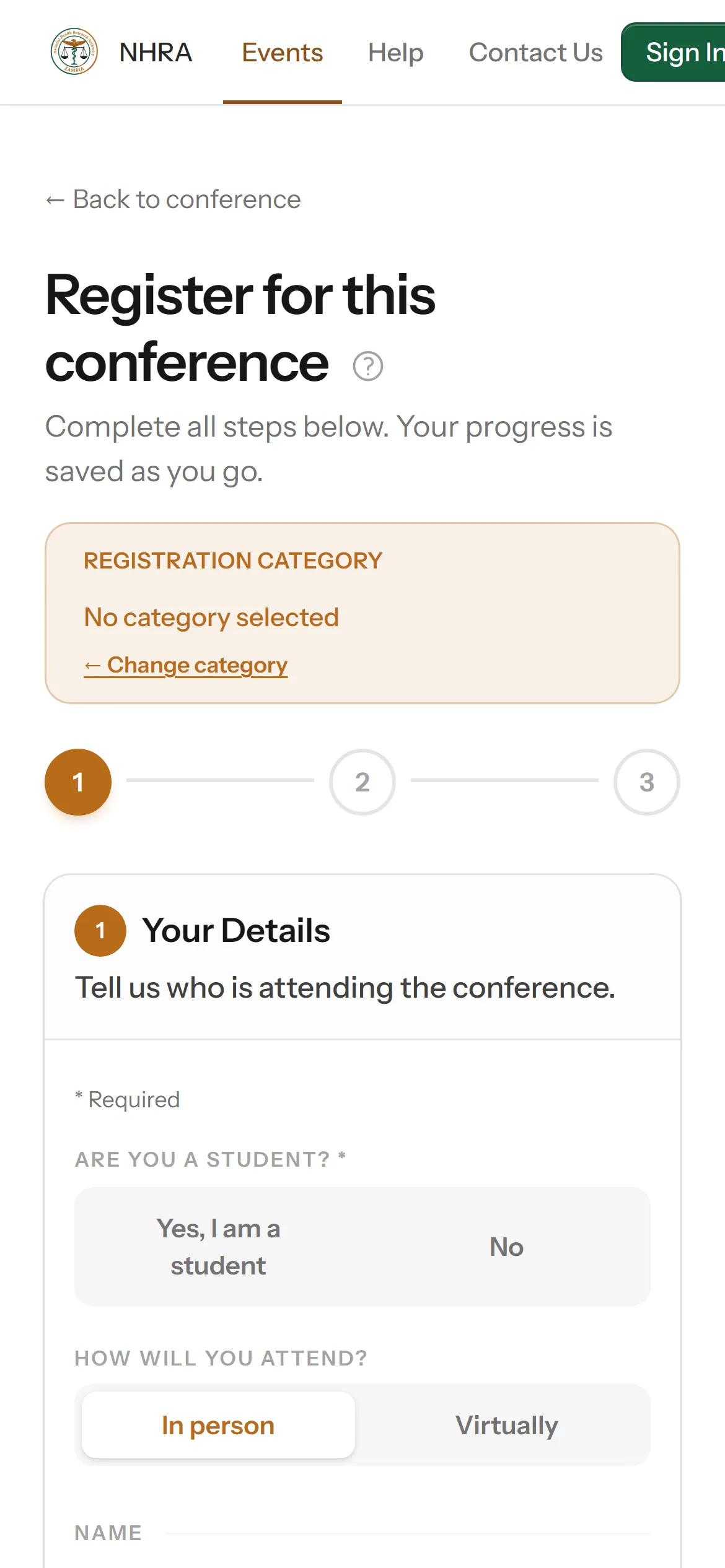
On your phone
The form works the same way on a phone — the steps are stacked one below the other.