
You register people in batches: pick them from your roster, check them, and pay for the whole batch at once.
-
1 Build your roster
Add people once.
-
2 Choose attendees
Pick them for an event.
-
3 Validate
Problems are flagged.
-
4 Pay once
Card, mobile money or bank.
-
5 Organisers review
Bank transfers only.
-
6 Registered
Everyone in the batch.
If a bank proof is rejected, resubmit it from Batches & Payments and the batch goes back for review. Card and mobile money batches skip the review.
Start a batch
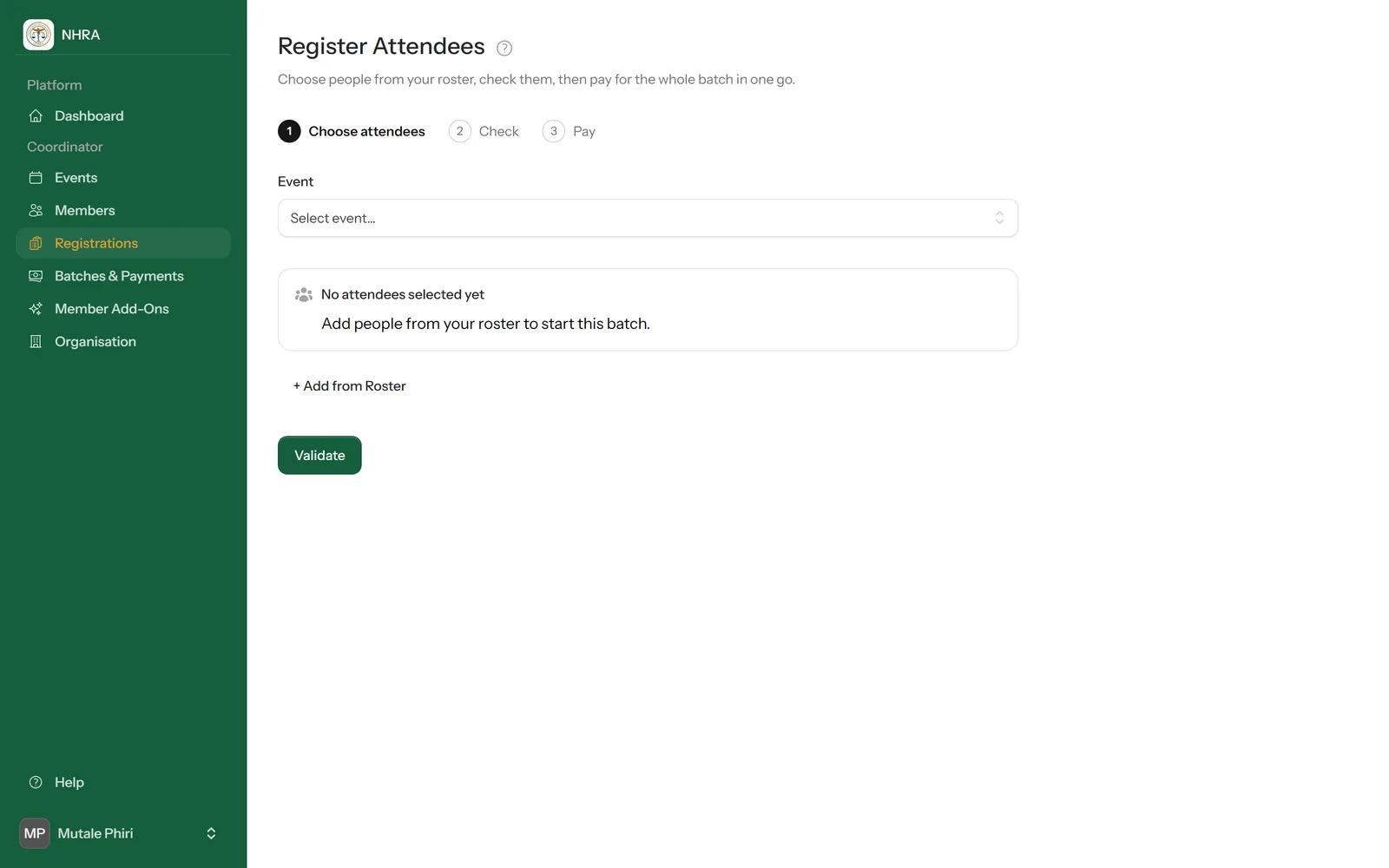
Either tick people on Members and select Register Selected for Event, or select Register Members on a conference under Events. Choose the conference under Event if it isn't already chosen.
 1
2
3
1
2
3
Add people from your roster
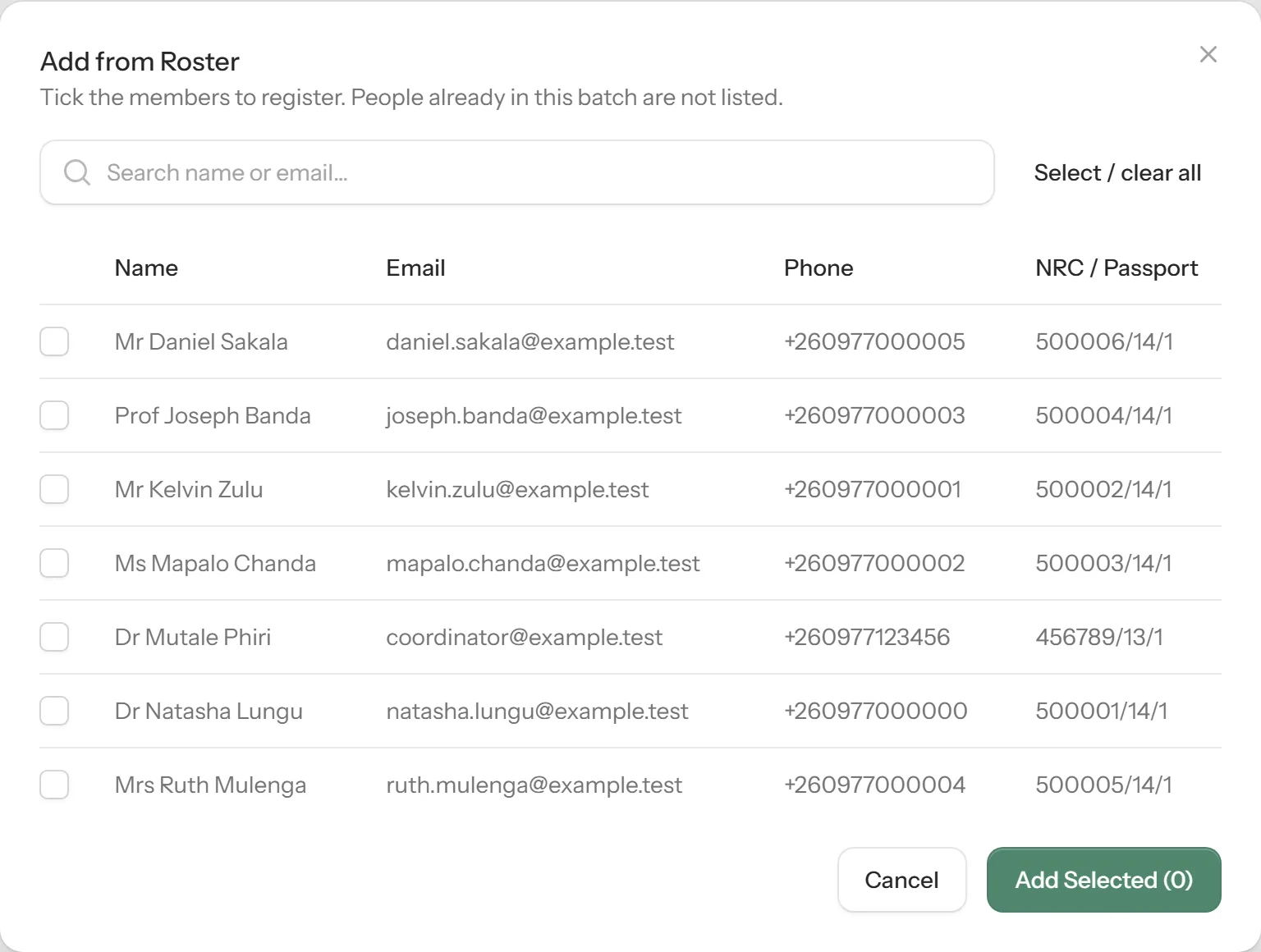
Select + Add from Roster, tick the people to register (search helps with a long roster, and Select / clear all ticks everyone), then select Add Selected. For each person, choose their attendee type.
 1
2
1
2
Check the batch
Select Validate. Anyone with a problem — such as an email or NRC/passport number already registered for this event — is marked in the Check column and left out of the batch. Fix or remove them and validate again.
Pay for the batch
Choose how you'll pay for everyone at once:
- Card — Visa or Mastercard on a secure page. Everyone is registered straight away.
- Mobile money — Airtel, MTN or Zamtel. Everyone is registered once you approve the prompt on your phone.
- Bank transfer — pay the total, then upload one proof of payment for the whole batch with the amount paid, the bank reference and the date, and select Submit for review. Everyone is registered once the organisers approve it.
Follow the batch on Batches & Payments.