
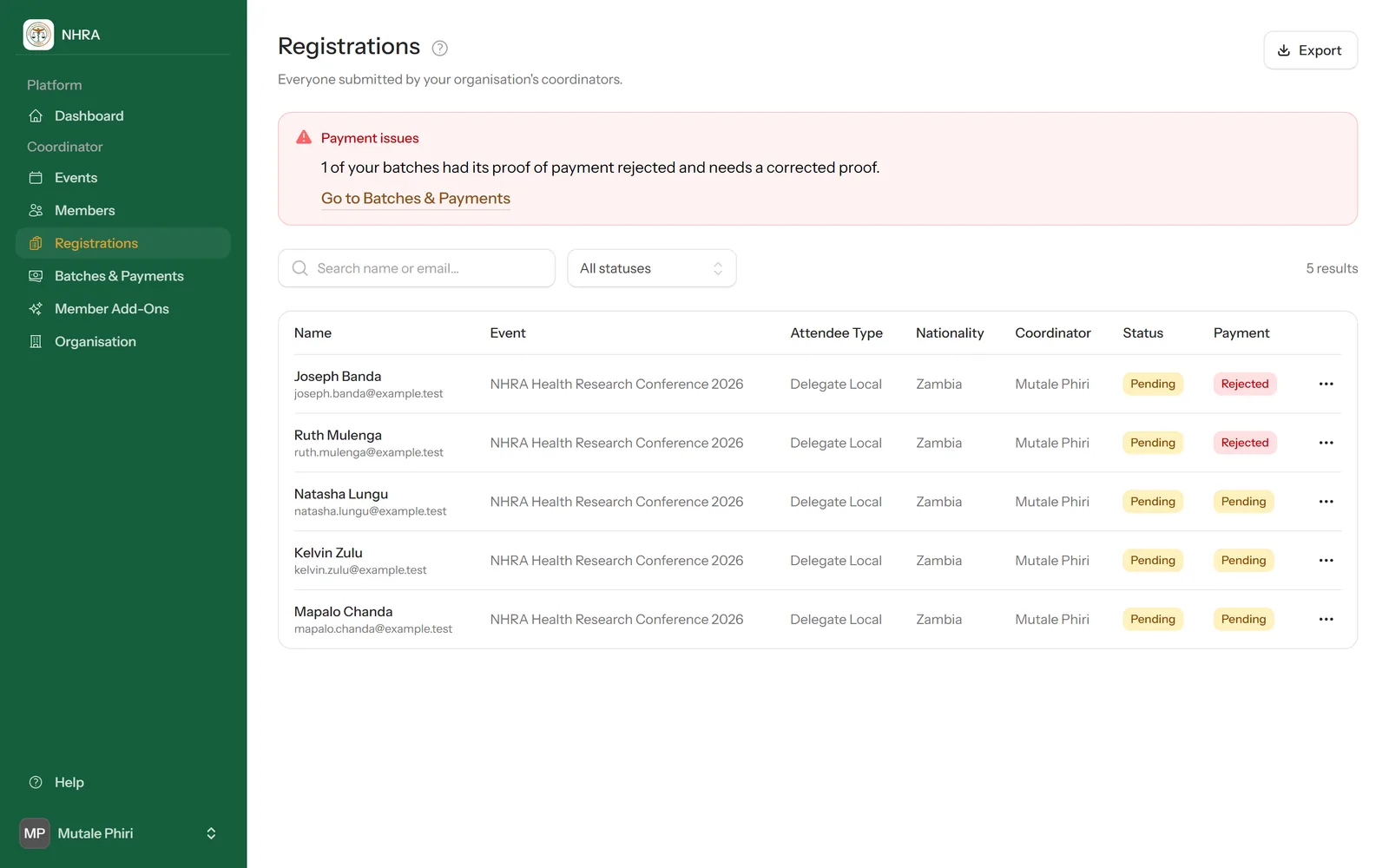
Select Registrations in the sidebar to see everyone your organisation's coordinators have submitted, across all events and batches.
 1
2
3
1
2
3
1
Watch for payment issues
If any of your batches had its proof rejected, a Payment issues box at the top says so. Select Go to Batches & Payments to fix it.
2
Correct someone's details
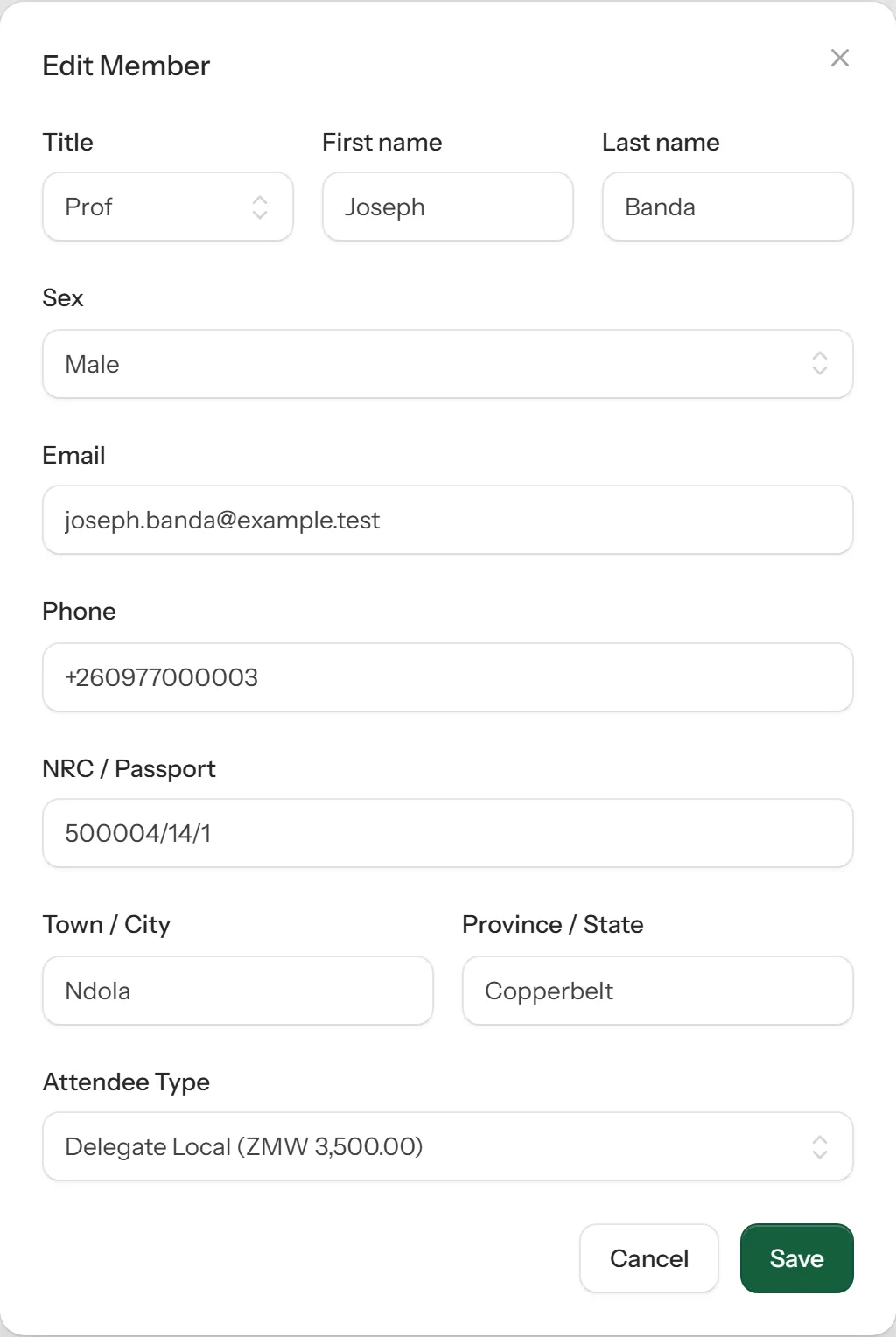
Open the ⋯ menu at the end of the person's row and choose Edit, fix their details, and save. You can edit people you submitted yourself while they're still pending or after they've been rejected. A rejected person goes back to pending once corrected.
3
Export to Excel
Select Export at the top right to download everyone on the list as an Excel spreadsheet.