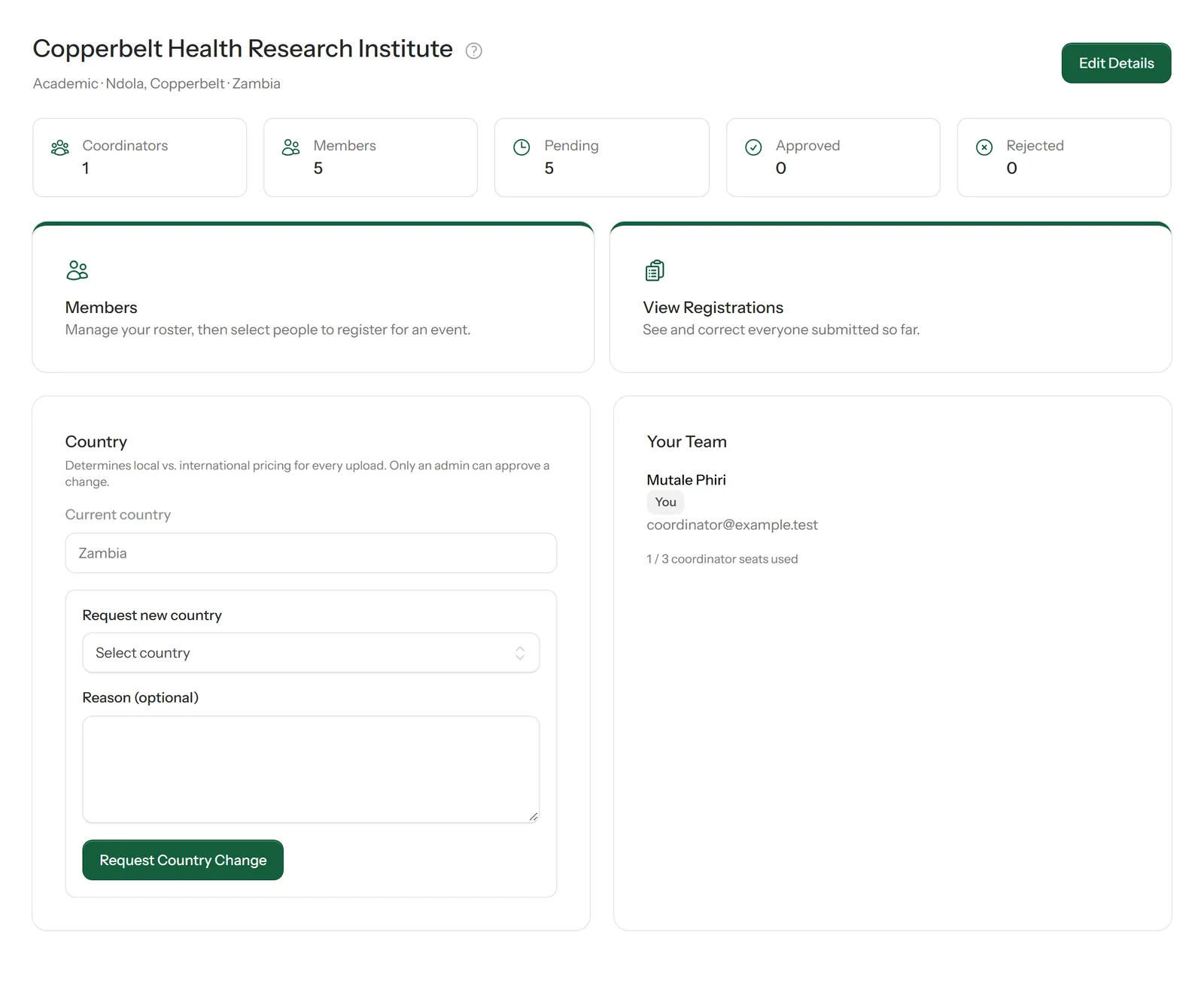
Select Organisation in the sidebar. The page shows your organisation's details, how many members and registrations it has, and the coordinators on your team.
1
Edit your organisation's details
Select Edit Details at the top right to correct the organisation's name, type or location.
2
Understand the country setting
Your organisation's country decides whether the people you register pay local or international fees. Because it affects pricing, you can't change it yourself: choose the new country under Request new country, add a reason if you like, and select Request Country Change. An administrator reviews the request.
3
See your team
Your Team lists your organisation's coordinators and how many of the three coordinator places are used. A colleague joins by applying as a coordinator and choosing to join your organisation.